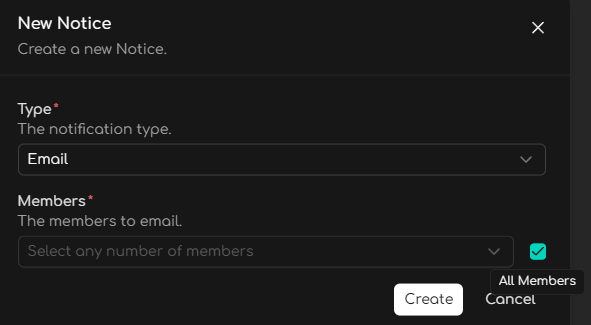
Notifications
Notifications are managed on a per-Monitor basis.
To review your notifications settings, go to Monitors > Select your Monitor > Edit > Settings, then scroll down to Notifications
Supported Notification Types
Most types of Connections can also be used as a means of getting your Advite notifications outside of the Inbox
Currently we support:
- Slack Channel
- Webhook (Native)
- Zapier
- Make
- N8N
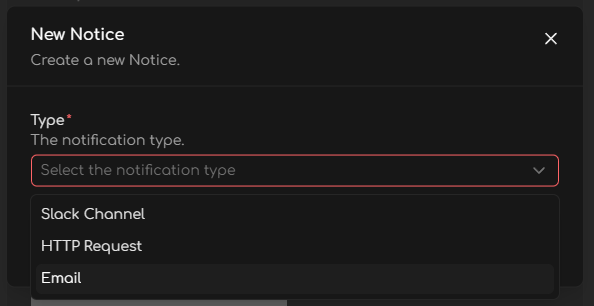
Slack Channel
A Connection to Slack must first be created. Learn about Connections first, and then refer to Slack for more information on how to connect Advite to Slack.
Webhook, Zapier, Make, N8N ...
See Webhooks for more information.
You must first add any person who should receive Email notifications as a Member in the Members tab.
You can send email notifications to specific workspace members or select All Members, and choose between Real-Time alerts (sent as soon as a match is found) or a Daily Digest.